

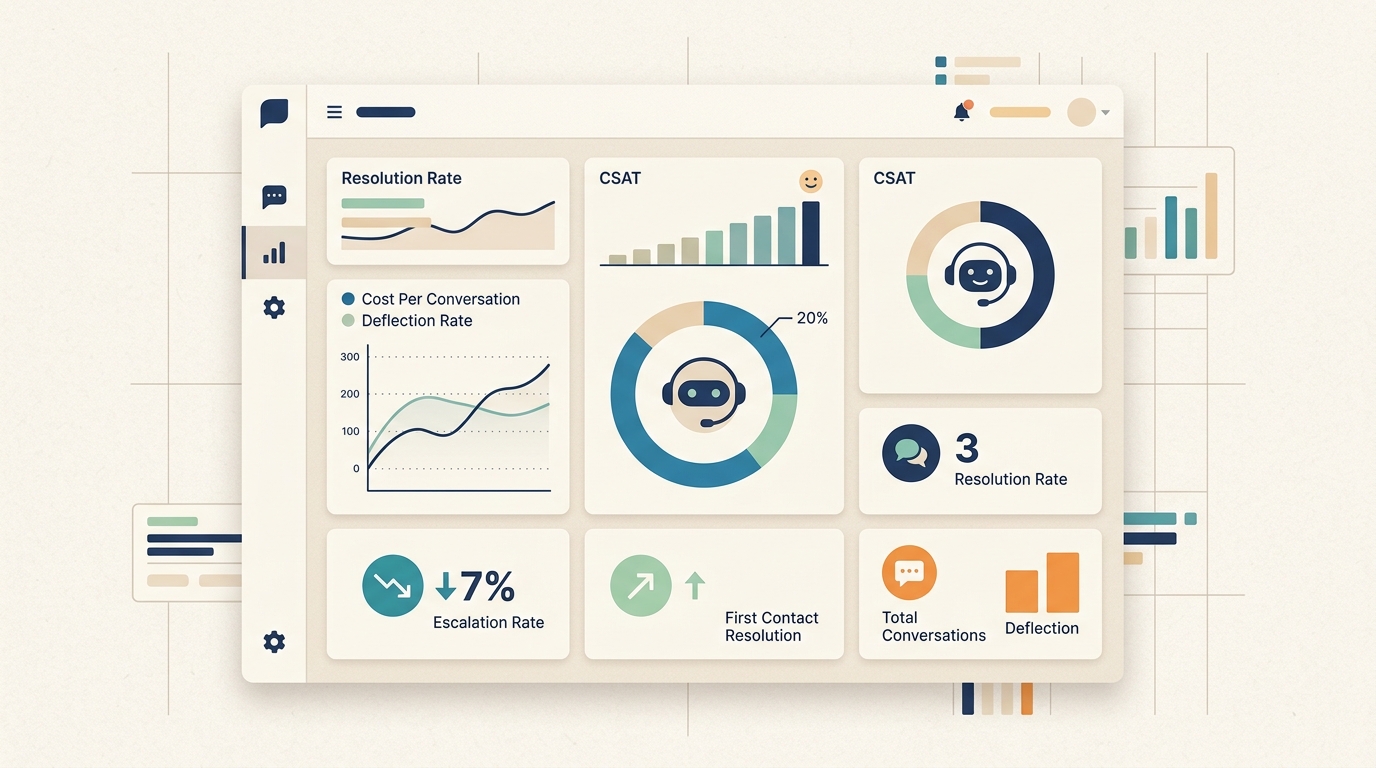
Deploying an AI chatbot without a measurement framework is the operational equivalent of running a support team with no SLA tracking, no CSAT scores, and no visibility into resolution rates. You may have built something that works - or you may have built something that is frustrating customers at scale without knowing it.
The eight metrics covered in this article are the ones that matter most for AI customer support deployments. Together they answer three fundamental questions: Is the chatbot resolving what it should resolve? Are customers satisfied with the experience? Is it generating the cost and efficiency outcomes that justified the investment?
Each metric includes current industry benchmarks, calculation methodology, and guidance on what to do when the numbers fall short.
Why Measurement Matters More for AI Than for Human Support
Before examining specific metrics, two reasons why measurement is particularly important for AI-powered support:
AI failure is invisible in ways human failure is not. A human agent who gives a wrong answer is often corrected by a frustrated customer - who escalates, demands to speak with a manager, or sends a follow-up email. An AI chatbot that gives wrong answers quietly may do so for weeks, with each incorrect response compounding in a growing pool of frustrated customers who simply do not return.
AI performance degrades without feedback loops. A human support team improves through experience, management feedback, and training. An AI chatbot does not get better automatically - its knowledge base drifts further from current reality with every product change, policy update, and new question category that emerges. Measurement is the feedback loop that drives continuous improvement.
Current context on the performance opportunity:
- Well-measured and continuously optimized AI chatbots achieve 80-90% deflection rates vs. 25-40% for unmonitored deployments
- Organizations that track chatbot performance metrics report 60% better customer satisfaction scores than those that do not (Gartner, 2025)
- The gap between best-in-class and average chatbot deployments is almost entirely explained by operational discipline around measurement and improvement, not technology selection
Metric 1: Deflection Rate
What it measures: The percentage of chatbot conversations that are fully resolved by AI without requiring any human agent involvement.
Why it matters: Deflection rate is the primary efficiency metric for AI support. It quantifies how much of the support workload the AI is absorbing, and therefore how much it is reducing costs and freeing human agents for higher-complexity work.
How to calculate:
Deflection Rate = (Conversations fully resolved by AI / Total chatbot conversations) x 100
Benchmarks:
| Stage | Deflection Rate |
|---|---|
| Early deployment (first 30 days) | 15-25% |
| Developing (3-6 months) | 30-45% |
| Mature (12+ months) | 50-70% |
| Best-in-class | 80-90% |
What to do when it is low:
A deflection rate below 30% after the first 60 days indicates a training gap. Pull the escalation log and identify which question categories are consistently routing to humans. These are direct training targets - add or update knowledge base content for each high-frequency escalation category.
Common causes of low deflection: outdated knowledge base content, insufficient coverage of question variants and phrasings, and missing integrations with backend systems that would allow the chatbot to answer data-dependent questions (order status, account information, availability).
Metric 2: Resolution Rate
What it measures: The percentage of chatbot conversations where the customer's underlying need was actually met - not just answered, but resolved.
Why it matters: Deflection and resolution are different. A chatbot can deflect a question (handle the conversation without involving a human) without resolving it (the customer still has the problem). Resolution rate measures actual outcome quality.
How to calculate:
Resolution rate is measured through post-conversation surveys or by tracking follow-up contact patterns:
Resolution Rate = (Conversations with confirmed resolution / Total conversations) x 100
Confirmed resolution can be measured by: post-chat thumbs up / CSAT survey completion, absence of a follow-up contact within 24 hours for the same issue, or explicit customer confirmation within the conversation.
Benchmarks:
| Issue Type | AI Resolution Rate (Mature Implementation) |
|---|---|
| Returns and cancellations | 55-65% |
| Account management | 55-60% |
| Order tracking | 60-75% |
| Billing and payment | 35-50% |
| Technical troubleshooting | 25-45% |
| All categories combined | 55-70% |
What to do when it is low:
A significant gap between deflection rate and resolution rate (e.g., 60% deflection but 35% resolution) indicates that the AI is handling conversations to a conclusion without actually solving problems. Common causes: answers that are technically correct but not actionable, missing procedural steps in self-service flows, and responses that answer a different question than the one being asked.
Review closed conversations with low resolution CSAT scores to identify the patterns.
Metric 3: Escalation Rate
What it measures: The percentage of chatbot conversations that are transferred to a human agent.
Why it matters: Escalation rate is the inverse of deflection rate, with an important nuance: not all escalations are failures. Some escalations are appropriate - the AI correctly identifies that a conversation requires human judgment and hands off efficiently. The goal is not zero escalations; it is the right escalations.
How to calculate:
Escalation Rate = (Conversations transferred to human / Total conversations) x 100
Track escalation reasons separately to distinguish appropriate from inappropriate escalations.
Benchmarks:
| Implementation Stage | Escalation Rate |
|---|---|
| Early deployment | 60%+ |
| Developing (3-6 months) | 30-40% |
| Mature (12+ months) | 15-25% |
| Best-in-class | Under 15% |
What to do when it is high:
Categorize escalations into three types:
- Appropriate escalations (complex issues, emotional situations, explicit human requests): expected and should not be reduced
- Training gap escalations (questions the AI could answer with better knowledge base content): training targets
- Confidence threshold escalations (the AI is not certain enough to answer): may indicate over-cautious configuration or genuine coverage gaps
A healthy goal for mature implementations is reducing the training gap escalation category to under 5% of total conversations, while maintaining appropriate escalation logic for genuinely complex and sensitive issues.
Metric 4: First Response Time
What it measures: The time elapsed between a customer initiating a conversation and receiving the first substantive response from the chatbot.
Why it matters: Response time is one of the most direct drivers of customer satisfaction in chat interactions. AI's structural advantage over human support is speed - a chatbot that takes 30+ seconds to respond loses the primary value proposition of the channel.
How to calculate:
First Response Time = Timestamp of first chatbot response - Timestamp of conversation initiation
Track this as a distribution (median and 95th percentile), not just an average - outliers in response time indicate infrastructure or configuration issues that may not be visible in the mean.
Benchmarks:
| Channel | Acceptable | Good | Excellent |
|---|---|---|---|
| AI chatbot | Under 10 seconds | Under 3 seconds | Under 1 second |
| Human live chat | Under 3 minutes | Under 1 minute | Under 30 seconds |
| Under 24 hours | Under 4 hours | Under 1 hour | |
| Phone | Under 2 minutes hold | Under 30 seconds | Immediate |
Current industry data:
- Average AI chatbot first response time: under 3 seconds (Salesforce, 2025)
- Human agent first response time average: 6.8 hours (across support channels)
- CSAT drops by 25% when first response exceeds 5 seconds in chat
- 90% of customers rate immediate responses as "important" or "very important" in chat interactions
What to do when it is slow:
Slow chatbot response times are typically caused by: excessive integration calls on message receipt (database lookups, API calls before first reply), large and unoptimized knowledge base retrieval, or infrastructure issues (cold starts, rate limiting). The first reply should be fast even if a deep knowledge base search takes slightly longer - a "Let me find that for you" message in under 2 seconds buys time for a 3-5 second knowledge retrieval.
Metric 5: Customer Satisfaction Score (CSAT)
What it measures: Customer satisfaction with the chatbot interaction, typically measured on a 1-5 or thumbs up/down scale immediately following a conversation.
Why it matters: Deflection and resolution rates measure operational efficiency. CSAT measures whether customers actually found the interaction satisfactory - which is the ultimate arbiter of whether the chatbot is serving its purpose.
How to calculate:
CSAT = (Positive ratings / Total ratings) x 100
For a 1-5 scale, "positive" is typically 4 and 5. For thumbs up/down, positive is thumbs up.
Industry standard: measure CSAT immediately after conversation close, with a maximum one-click response requirement. Survey response rates drop sharply with multi-step CSAT mechanisms.
Benchmarks:
- Chatbot CSAT benchmark: 87.58% satisfaction (Freshworks, 2025)
- Human agent CSAT benchmark: 85.8% for same question categories
- AI support CSAT exceeds human CSAT at parity or better for routine inquiries when the chatbot is well-trained
- CSAT below 70% indicates a systemic training or configuration issue
- Target for mature implementations: 80-90% positive ratings
What to do when it is low:
CSAT below 70% is a strong signal of a user experience or accuracy problem. Pull a sample of low-rated conversations and categorize: wrong information, no useful answer (I don't know), poor tone/persona, too many clarifying questions before answering, or inability to escalate. Each category maps to a specific fix.
Metric 6: Cost Per Conversation
What it measures: The fully loaded cost of handling each chatbot conversation, compared to the cost of handling the same conversation through human support.
Why it matters: Cost per conversation is the primary financial justification metric for AI chatbot deployment. The efficiency case depends on the actual cost differential - and that differential varies significantly based on conversation complexity, integration requirements, and platform costs.
How to calculate:
AI Cost Per Conversation = (Monthly platform cost + Integration costs) / Monthly conversation volume

Human Cost Per Conversation = (Agent fully loaded hourly cost x Average handle time in hours) + (Overhead allocation per ticket)
Benchmarks:
| Channel | Cost Per Interaction |
|---|---|
| AI chatbot (US/UK) | $0.25 - $2.00 |
| Human agent (US/UK) | $8 - $15 |
| Human agent (global average) | $6 - $7 |
| Human agent (SaaS/technology sector) | $25 - $35 |
| Cost differential | 12x cheaper (US/UK average) |
What to do when it is high:
If AI cost per conversation is unexpectedly high, the primary drivers are usually: low deflection rate (too many conversations escalate to humans, where the higher cost applies), high platform cost relative to volume (fixed costs amortized over too few conversations), or high integration costs. At low volume, AI chatbot cost per conversation can exceed human cost - the economics improve significantly with scale.
Metric 7: Conversation Containment Rate
What it measures: The percentage of all customer contacts that are fully handled within the chat channel - without the customer switching to another support channel (email, phone, social) to get the same issue resolved.
Why it matters: A chatbot with a high deflection rate but a low containment rate is pushing work to other channels rather than eliminating it. The customer who could not get help from the chatbot called the phone line instead - and that phone call costs more than a chat interaction would have.
How to calculate:
Containment Rate = (Conversations where the customer did not contact another channel for the same issue / Total conversations) x 100
This requires cross-channel tracking: matching chatbot conversation IDs with subsequent email, phone, or ticket contacts from the same customer within 24-48 hours.
Benchmarks:
- Target for mature implementations: 70-85% containment
- Strong correlation between containment rate and resolution rate - they measure different things but tend to move together
- Low containment is a leading indicator of CSAT problems before they fully appear in survey data
What to do when it is low:
Low containment means customers are not getting what they need from the chat channel and are going elsewhere. The same diagnostic applies as for low resolution rate: review conversations that were followed by cross-channel contacts, and identify what the chatbot failed to provide that drove the customer to another channel.
Metric 8: Lead Capture Rate (for Lead Generation Deployments)
What it measures: The percentage of chatbot conversations that result in a captured lead - name and contact information collected with intent to follow up.
Why it matters: For businesses that deploy AI chatbots with a lead generation goal (not just support), lead capture rate measures the primary commercial outcome. A chatbot that handles many conversations but captures few leads is not delivering on its acquisition-side potential.
How to calculate:
Lead Capture Rate = (Conversations resulting in lead capture / Total conversations) x 100
Track separately for different entry points (homepage vs. pricing page vs. blog) and trigger types (proactive vs. organic), since conversion rates vary significantly by source.
Benchmarks:
| Lead Type | Capture Rate Benchmark |
|---|---|
| Organic (visitor-initiated) | 3-8% |
| Proactive (behavior-triggered) | 8-20% |
| Exit-intent triggered | 5-15% |
| Post-content delivery | 15-35% |
| Overall (mixed traffic) | 5-15% |
What to do when it is low:
Low lead capture rates are usually caused by: asking for contact information too early in the conversation (before value is demonstrated), a generic lead capture prompt that does not connect to what the visitor was asking about, or a lack of proactive engagement on high-intent pages. The most effective lead capture sequences build trust first, then ask for information at the moment of highest demonstrated value.
Building a Measurement Dashboard
These eight metrics work as a system, not in isolation. A well-designed measurement dashboard surfaces them together, allowing operators to identify the specific performance profile and the most likely root cause:
| Scenario | Likely Diagnosis |
|---|---|
| Low deflection + low CSAT | Training gaps across multiple categories |
| High deflection + low CSAT | Deflecting questions but giving wrong answers |
| Low deflection + high CSAT | Well-trained but under-scoped (narrow knowledge base) |
| High deflection + high CSAT | Best-in-class: maintain and expand |
| High escalation + low CSAT | Escalating appropriately but failing pre-escalation |
| Low containment + decent CSAT | Chat resolves immediate question but not underlying need |
Measurement Cadence
The operational cadence that keeps a deployed chatbot improving rather than drifting:
Daily: First response time (flag infrastructure anomalies), escalation volume (flag unusual spikes)
Weekly: Deflection rate, escalation log review (identify new training gaps), CSAT scores, low-confidence responses
Monthly: Resolution rate, cost per conversation, containment rate, lead capture rate, comparison against prior periods
Quarterly: Full performance review against initial goals, knowledge base audit, scope expansion assessment
Teams that follow this cadence consistently see deflection rates improve by 1-2 percentage points per month in the first six months, CSAT scores stabilize in the 80-90% range, and escalation rates decline toward the 15% best-in-class threshold.
The measurement investment is modest - typically 2-4 hours per week for a mid-sized deployment. The compound return, in progressively improving chatbot performance and the customer trust that comes with it, makes this one of the highest-leverage operational activities available to a support team.
More Articles
8 Ways AI Chatbots Reduce Support Ticket Volume
A detailed breakdown of how AI chatbots cut inbound support ticket volume, with current performance benchmarks, real case studies, and practical guidance on implementation.
April 8, 2026
10 Customer Support Tasks You Can Automate with an AI Chatbot Today
A detailed breakdown of the customer support tasks AI chatbots handle best — with data, real examples, and guidance on where human agents still matter.
April 8, 2026